


GPS Tracking - Number Locator
4.10.00 Reviews
App Specs
- Version
- 1.0.2
- Updated On
- License
- Free
- Downloads
- 100,000+
- Developer
- サウズヒロ
- Categories
- Maps & Navigation
- Platform
- Android
Screenshots
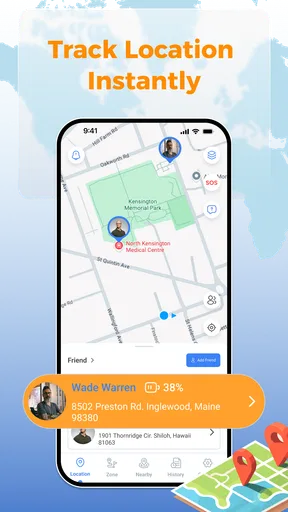
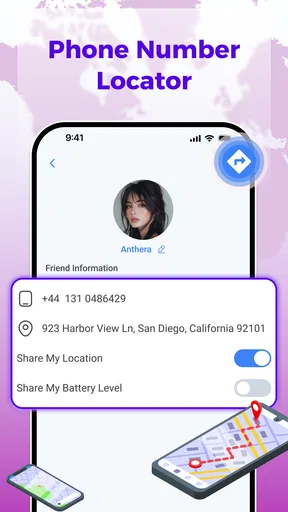
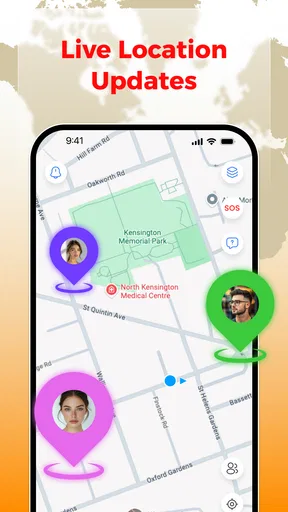
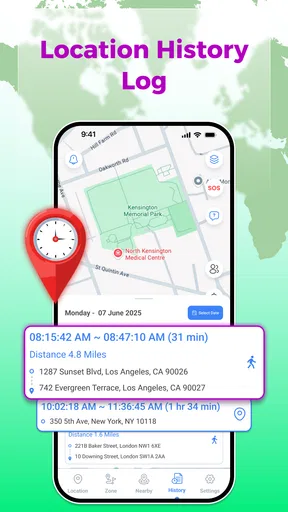
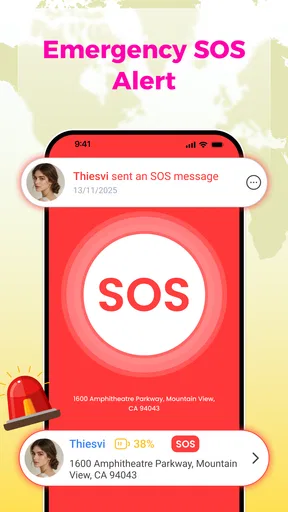
 Analysis by AppCompare
I tested GPS Tracking - Number Locator as a family-oriented navigation app, focusing less on its short store description and more on the practical journey it suggests: starting with a concern, entering a phone number, trying to understand a location, and deciding what to do next. That workflow sounds simple, but location tools are only useful when the information reaches the right person clearly and at the right moment.
The app is free, aimed at everyone, and comes from the developer サウズヒロ. It belongs to the Maps & Navigation category rather than being a full social network or a general-purpose route planner. Its central appeal is the combination of GPS tracking, number-based location lookup, family safety, and real-time location. In my experience, that makes it most interesting for people who want a focused tool for checking on relatives or coordinating movement, not for replacing a complete mapping service.
Its public reception is reasonably encouraging: the app holds a 4.1 average from around 180 ratings and has passed 100K installs. Those figures suggest that plenty of people have tried it, while also reminding me that it is not universally perfect. The current release is version 1.0.2, and the app runs on Android 9 or later. That compatibility is useful for families with a mixture of newer and older phones.
From a worry to a location check
I’ll focus on how to judge a location check before acting on it, since a useful result is only as good as the decision it supports. In the next section, I’ll look at the speed a user can reasonably expect and why a quick display should not be confused with a confirmed, up-to-the-minute position.
The starting condition matters more than the map
A realistic use case is a family member who has not arrived when expected. Perhaps a child is traveling home, a partner is on the way back from work, or an older relative is moving between familiar places. The first question is not “Which map looks best?” It is “What information do I actually have, and what action is reasonable?” This app is built around that moment, where a phone number or tracking request may be the starting point.
I found it helpful to treat the app as a communication aid rather than a magic locator. A number alone does not automatically turn uncertainty into a precise, trustworthy answer. Location depends on the person, the device, the network, and the way the app is being used. That is an important expectation to set before relying on it for a time-sensitive situation.
The best starting workflow is to agree with the person being checked on before an emergency occurs. Explain why you want to use a family-safety tool, decide when location sharing is appropriate, and make sure everyone understands who will receive the result. This small conversation prevents the app from becoming a source of suspicion or confusion. It also makes the handoff much smoother when someone genuinely needs help.
Worth Reading Before You Choose

EA SPORTS FC Mobile 26 Is a Bigger Football Game, but It Takes Time

Flipboard Shows What News Apps Must Do Beyond the Feed

Switching to Android Auto Means Rethinking Your Driving Routine

Google Calendar Makes a Crowded Week Easier to Manage

Ludo King Makes the Most of the Minutes Between Plans

Baby Panda World Brings Quick Play to Modern Phones, but Its Game Library Feels Busy
For a household, I would prepare the app during a calm moment rather than installing it for the first time while someone is already late. Check that each relevant phone is supported, open the main functions, and learn where the location result appears. The app’s minimum operating-system requirement is Android 9, so an older handset may be the first point of friction even before location accuracy becomes an issue.
Entering the request without overreading it
The number-locator angle is the feature most likely to attract attention, but it is also where users need the clearest judgment. A phone number can identify the intended contact in a workflow, yet it should not be treated as proof that a person is currently at a particular address. When I use a tool like this, I separate three questions: who the request concerns, whether the person has agreed to the check, and whether the returned position is current enough for the decision I need to make.
That distinction is especially important when a location appears delayed or broad. A map point can help you decide whether to call, wait, or ask someone nearby for assistance, but it should not encourage a risky assumption. If the result does not match what the person has told you, I would contact them directly instead of repeatedly refreshing and treating every change as meaningful.
A useful habit is to record the context in your own mind before looking at the result: when the person was expected, where they were last known to be, and what route they mentioned. That makes the app’s output easier to interpret. Without context, even a plausible location can lead to the wrong conclusion.
Reading the result as a decision aid
Once a location is displayed, the practical outcome is rarely “I now know everything.” More often, it is one small piece of information in a larger decision. If the person is still near the departure point, a call may be sensible. If they appear close to the destination, waiting may be better than sending someone out. If the result seems inconsistent, direct contact becomes more important than the map.
This is where the app can be more useful than a simple message saying “Where are you?” A location view can reduce back-and-forth when the other person is busy, driving, or unable to describe their surroundings. At the same time, a conventional phone call remains the better option when the situation involves danger, illness, or an urgent need for conversation. A map cannot replace emergency services or a clear verbal check-in.
I also recommend avoiding constant monitoring. Checking only when there is a practical reason keeps the tool focused on safety and coordination. Repeatedly watching a family member’s movement can create tension, drain attention, and make normal travel look suspicious. The strongest workflow is occasional, agreed, and connected to a specific decision.
Handoffs between people are where usefulness is tested
The app’s real-world value depends on handoffs. One person starts the request, another person’s device or number is involved, and a third person may need to act on the result. A parent might check a child’s progress and then tell another caregiver whether to wait at home. A partner may use the information to decide whether to meet someone at a station. In each case, the map is only one stage in the chain.
I would keep the handoff message precise: say when the location was checked, what it appears to show, and what remains uncertain. “The app shows them near the route, so I’m calling now” is safer than “They are definitely there.” This wording prevents a stale or approximate position from becoming a false fact as it passes from one person to another.
Another practical tip is to decide in advance who is responsible for the next step. If several family members can view or discuss the result, everyone may assume someone else is calling. A simple arrangement—one person checks, one person contacts, one person waits—turns a vague tracking feature into a workable safety routine.
For shared travel, I prefer using the app alongside ordinary messages. A short text can explain the reason for the check, while the location view supplies context. That combination is less confusing than sending a map result without any explanation. It also gives the person being located a chance to correct an outdated or misunderstood position.
What the result is good for in everyday life
In a normal evening scenario, the app can help a household coordinate without several repeated calls. Imagine that a family member is returning from an unfamiliar area and has stopped responding for a while. I would first check the agreed tracking workflow, look at the latest location information, and compare it with the expected journey. If the result suggests normal progress, I would wait briefly and send a message. If it looks unusual, I would call and involve another trusted person rather than relying on the map alone.
That is a modest outcome, but it is exactly where a focused location tool can earn its place. It reduces uncertainty enough to choose the next action. It does not need to provide a dramatic rescue feature to be useful; it needs to make ordinary coordination less stressful.
The app may also suit caregivers who need a quick reference during planned travel. For example, before someone leaves for an appointment, the family can agree that a location check is used only if the person misses an expected check-in. This creates a clear trigger and avoids turning tracking into an all-day habit. The non-obvious advantage is not simply seeing a point on a map; it is having a shared procedure for what that point means.
Another useful trade-off appears when a family member is not comfortable with complicated apps. A focused interface may be easier to introduce than a large social platform filled with chats, posts, and unrelated controls. However, the person who needs help may still require guidance during setup. A simple tool is not automatically a simple family system; the people involved must still understand the handoff.
How it compares with ordinary alternatives
Compared with a standard map application, this app is more directly centered on locating a person or number for family-safety purposes. A conventional map is usually better for route planning, traffic context, business searches, and turn-by-turn travel. If your main need is getting from one address to another, I would choose the familiar navigation app already on the phone.
Compared with messaging apps that include live location sharing, the advantage here is focus. A chat-based service can be convenient when everyone already uses the same conversation, and it often makes consent and discussion visible in one place. The trade-off is that the location feature may be buried among messages and contacts. This app’s narrower purpose can make a location check feel more direct, provided the family has already agreed on how to use it.
Compared with a dedicated family-locator service, the decision is less obvious. Larger family platforms may offer a broader collection of household tools, while this app is appealing to someone who wants a lightweight starting point and does not want a crowded ecosystem. I would choose based on the workflow: if your family needs detailed routines and many connected services, a more established family platform may fit better; if you want a focused location utility, this app deserves a look.
There is also a privacy trade-off. A location tool can be helpful precisely because it handles sensitive information, but that makes trust and consent essential. I would not install it secretly on another person’s phone or use a number-locator concept as a way to monitor someone who has not agreed. If your household cannot establish clear boundaries, the usual alternative—a call or voluntary message sharing—may be the healthier choice.
Where the workflow breaks down
The first weak point is the difference between a requested location and a dependable current position. Real-time language can make users expect perfect immediacy, yet phones move through areas with uneven connectivity and may not provide a fresh result at every moment. If a person is underground, indoors, traveling through a poor-signal area, or using an older device, the displayed information may not support a confident decision.
The second weak point is human cooperation. A family member may forget the agreed process, fail to check in, or misunderstand who can see the result. No tracking app can repair a broken communication plan. Before depending on it, I would run a low-pressure test during a normal outing and confirm that each person knows what to do when the result is unclear.
The third issue is interpretation. A dot on a map feels precise even when the underlying situation is not. I would avoid using the app to accuse someone of lying, infer intent from a route, or make a serious decision from one isolated position. The responsible workflow is to combine the result with time, context, and direct contact.
There is also a practical platform limitation. The listed minimum is Android 9, so households using older Android phones may not be able to place every person into the same process. Even when the app installs successfully, different phone settings and usage habits can create inconsistent results. That is another reason to keep a backup plan based on calls and messages.
Who should use it and who should skip it
I would recommend trying it if you want a free Android tool focused on family location checks, have people willing to participate, and are comfortable treating the result as guidance rather than absolute proof. It is particularly suitable for households that need occasional coordination and prefer a narrower app over a large communication platform.
I would skip it if you are looking for a complete navigation replacement, detailed route planning, or a guaranteed way to identify anyone from a phone number. It is also not the right choice for covert monitoring, relationship surveillance, or emergencies where a direct call and professional assistance are more appropriate.
Before making it part of a routine, I would ask four practical questions. Does every relevant phone meet the Android requirement? Has everyone agreed to the location workflow? Who checks the result and who makes the call? What will you do if the location is old, vague, or contradictory? If the answers are clear, the app has a better chance of helping rather than adding uncertainty.
My final take after following the full workflow
GPS Tracking - Number Locator is best understood as a focused family-safety aid that moves a user from a location concern toward a sensible next action. Its free price and broad Everyone age rating make it easy to consider, while its 4.1 average and growing install base suggest that it has found an audience without proving that it suits every household.
I like the idea of using it as one link in a careful chain: agree on the purpose, start with the right number or contact, read the result cautiously, pass the information to the responsible person, and confirm the situation through communication. That workflow brings out the app’s practical strength and also exposes its limits.
My recommendation is conditional but positive. Try it for planned family coordination, test it before relying on it, and keep a call or message as the backup. If you need a full navigation suite or a rich family-management platform, another category leader may serve you better. If your need is a straightforward location check with clear boundaries, this app can be a useful addition to an Android safety routine.
Pros
- Simple interface makes location tools easy to find.
- Can help identify unknown numbers in supported regions.
- Useful for sharing your location with trusted contacts.
- May assist with basic family safety check-ins.
- Works as a convenient reference for contact-related information.
Cons
- Results may be limited by country
- carrier
- or local regulations.
- A phone number alone cannot guarantee precise real-time tracking.
- Some features may require a subscription or in-app purchase.
- Location tools can raise privacy concerns if permissions are misunderstood.
- Unexpected ads or permission requests may affect the user experience.
FAQs for GPS Tracking - Number Locator
What is GPS Tracking - Number Locator used for?
GPS Tracking - Number Locator is designed to help users identify a phone number’s general location and access location-related tools. Depending on the device, permissions, and available services, it may offer features such as number lookup, map-based information, or device tracking. It should not be treated as a guaranteed method for finding any person in real time.
Can GPS Tracking - Number Locator track someone’s exact location?
No application can legitimately track another person’s exact location without appropriate permission, device access, or participation in a location-sharing service. GPS Tracking - Number Locator may provide approximate information based on available network or location data, but results can vary considerably. Users should respect privacy laws and obtain consent before attempting to monitor another device or individual.
Does the app require GPS, internet access, or special permissions?
The app may require an internet connection to process number-related searches, display maps, or retrieve location information. GPS access can be necessary for features involving your own device’s position, while phone, notification, or location permissions may be requested depending on the version and platform. Review each permission carefully and deny anything that is not needed.
Is GPS Tracking - Number Locator free to use?
The application may be available to download at no initial cost, but some features can be limited by advertisements, usage restrictions, subscriptions, or in-app purchases. Before using a lookup or tracking function, check the pricing details shown in the official app store. Avoid entering payment information until you understand the billing frequency, renewal terms, and cancellation process.
Is the information provided by the number locator accurate and private?
Results should be considered estimates rather than verified personal information. Accuracy depends on the country, carrier, database coverage, network data, and the type of search performed. Privacy also depends on the app’s policies and the permissions you grant. Read its privacy policy before use, avoid sharing sensitive data, and remember that phone-number searches may be subject to legal restrictions.


